Vehicle assets will be available in the R2026c release (May 2026). This update enables the integration of vehicles into standard work order workflows. A vehicle asset may be scheduled for a work order.
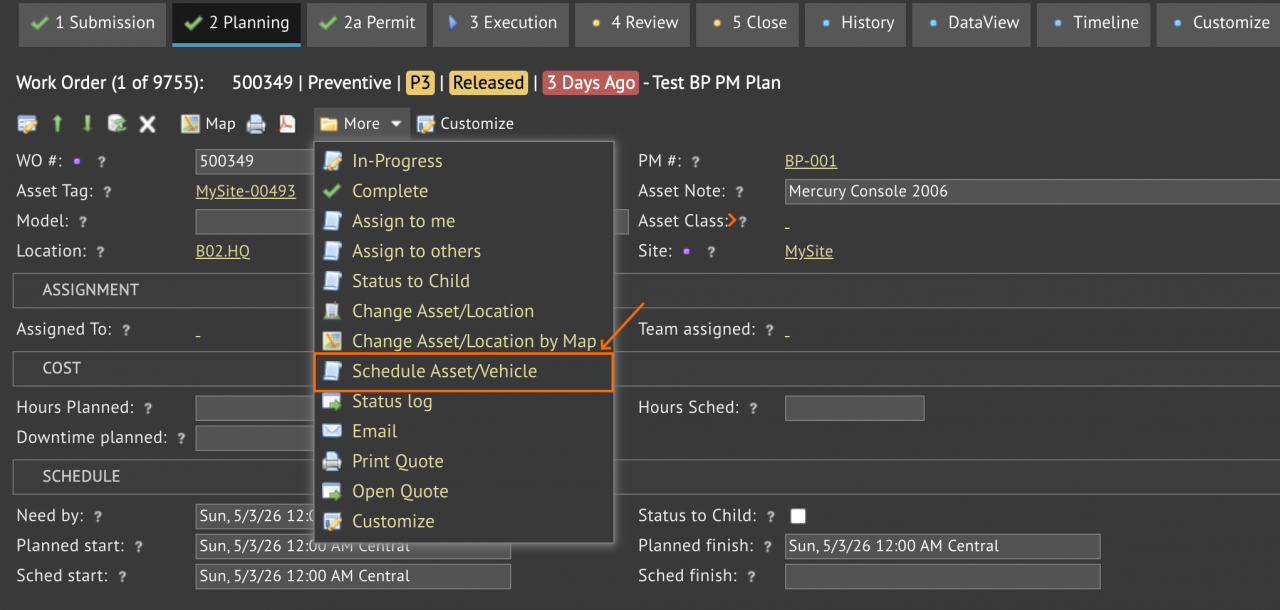
- Add a vehicle schedule at "Planning" tab: More | Schedule Asset/Vehicle (screenshot below).
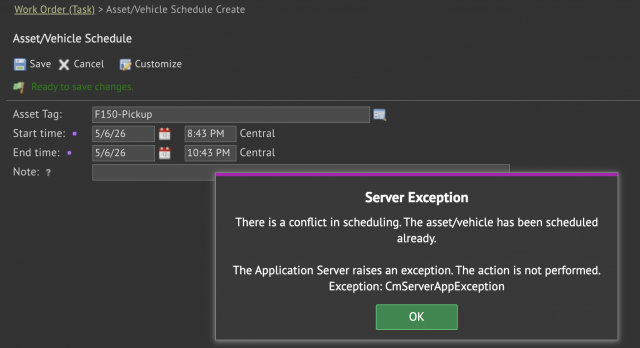
- A message window is shown if there is a schedule conflict (next screenshot).
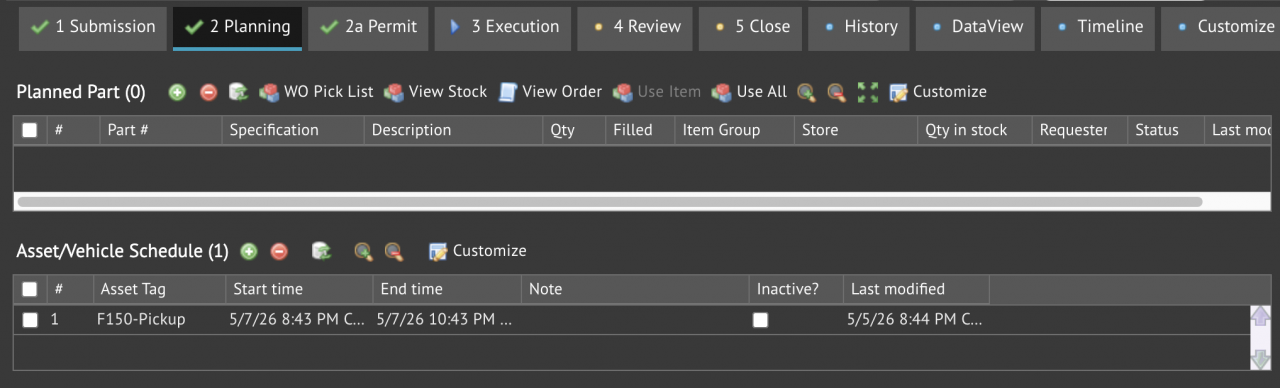
- Vehicle schedules are shown in the schedule list (3rd screenshot).
Vehicle usage can be logged directly at a work order.
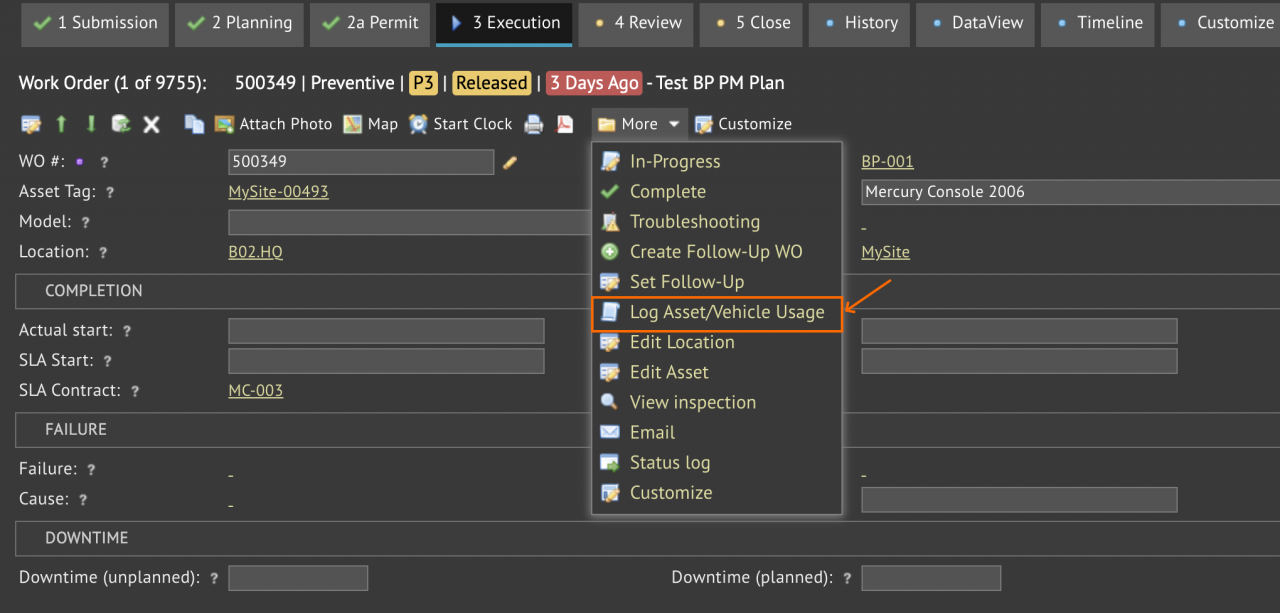
- Log a vehicle usage at "Execution" tab: More | Log Asset/Vehicle Usage (screenshot below).
- Scheduled vehicles are shown for selection if available (next screenshot).
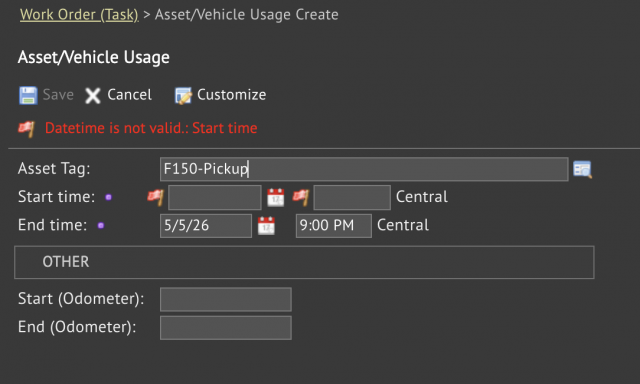
- Time usage (start/end time) may be reported (3rd screenshot).
- Odometers may also be reported.
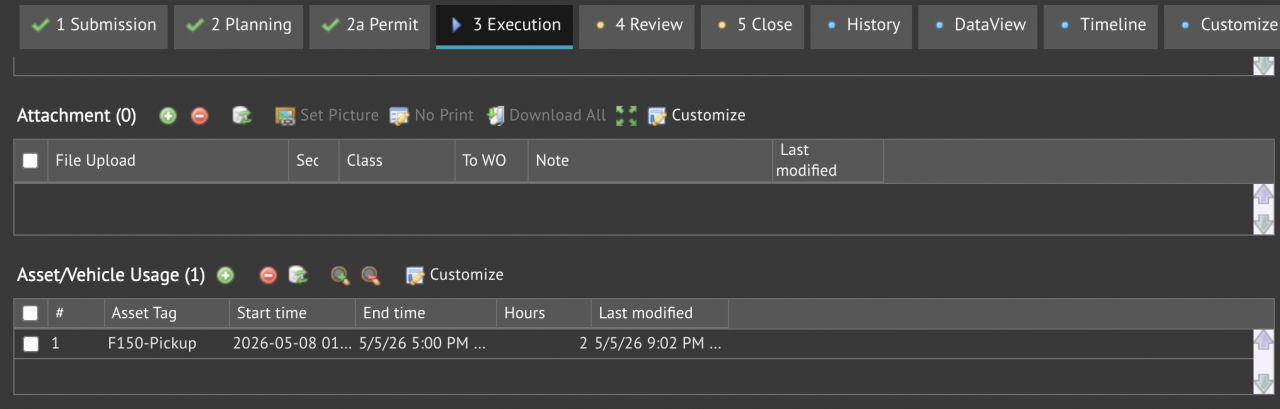
- A list of vehicle usage is shown for a work order (4th screenshot).

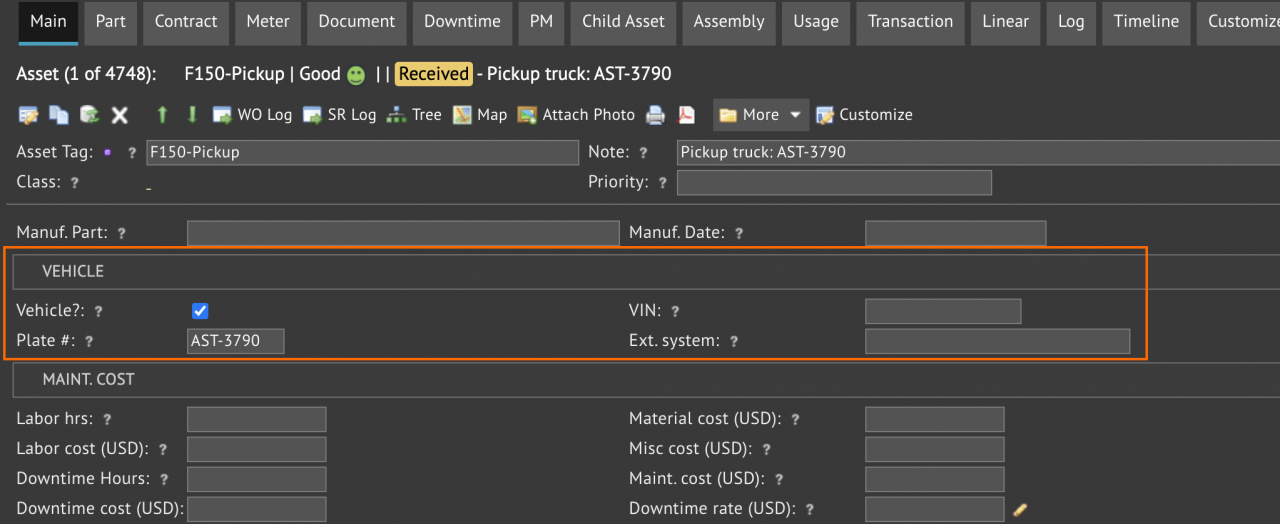
A vehicle asset has its "Vehicle?" checkbox checked. Vehicle plate number, VIN and external Id (such as telematics Id for integration) may be populated.
Additional Resources