This blog presents the implementation of the asset failure prediction discussed in this blog.
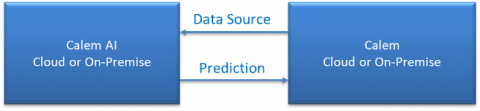
Asset failure prediction is an AI app (Artificial Intelligence) in the coming release of R2025h (December 2025). The app includes two components: Calem AI and Calem Service.
- Calem is the data source for training and inference.
- Models are trained in Calem AI.
- Inferences are produced from models in Calem AI.
- Calem gets asset failure prediction from Calem AI.
- Calem applies asset failure prediction to assets.
- For cloud service both Calem AI and Calem are available in Calem Cloud.
- For on-premise implementation both Calem AI and Calem reside in a client's network infrastructure.
1. Calem AI - Training and Inference
Model training and prediction inference are configured in Calem AI. Here are the steps:
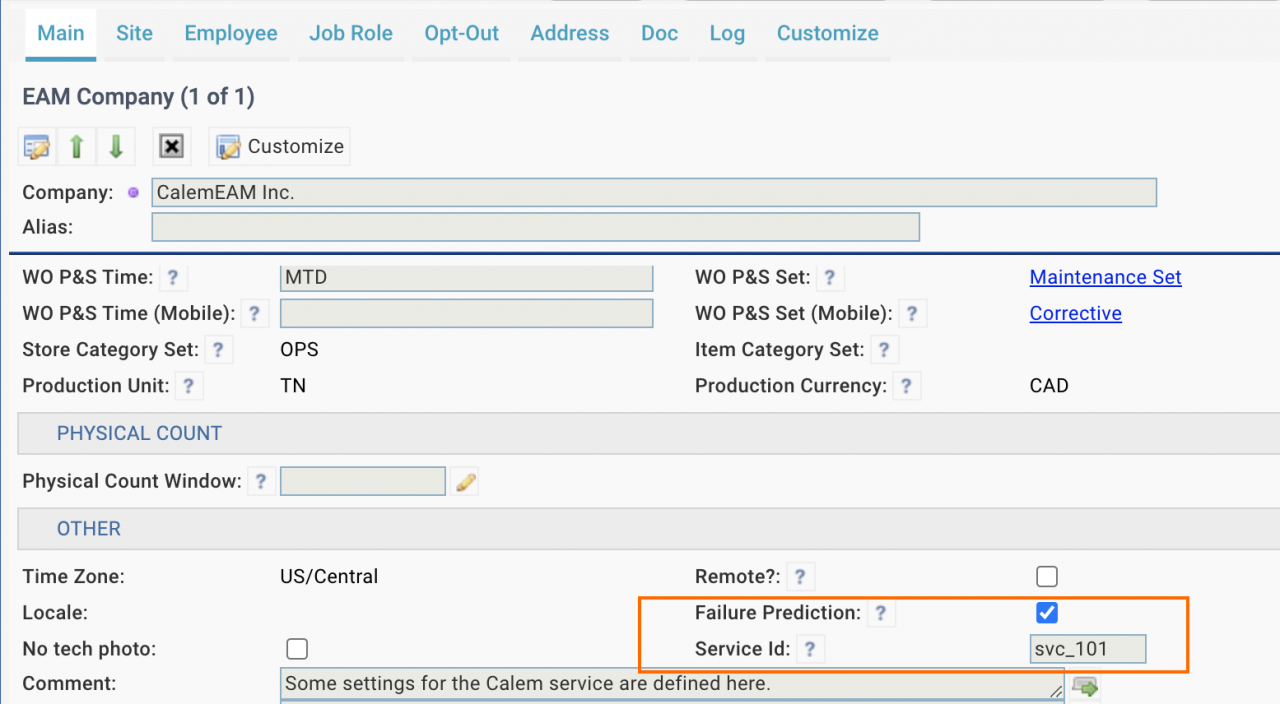
- Set up a service Id at EAM company (Organization | EAM Company). This is the Id of the Calem AI.
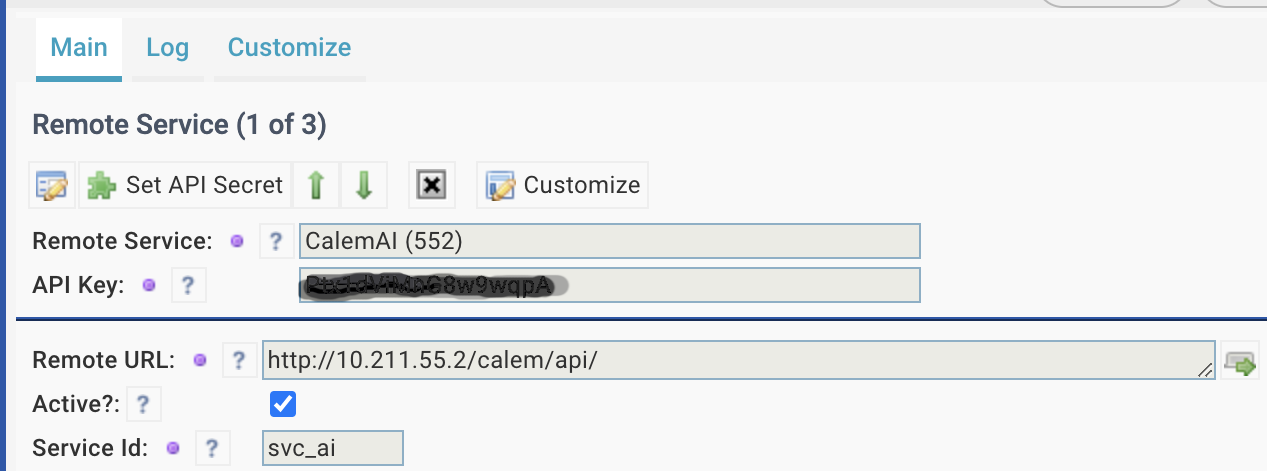
- Set up a remote service for a Calem service.
- Menu: Integration | Deployment Tool | Remote Services
- The service Id of the Calem service needs to be filled out in the remote service.
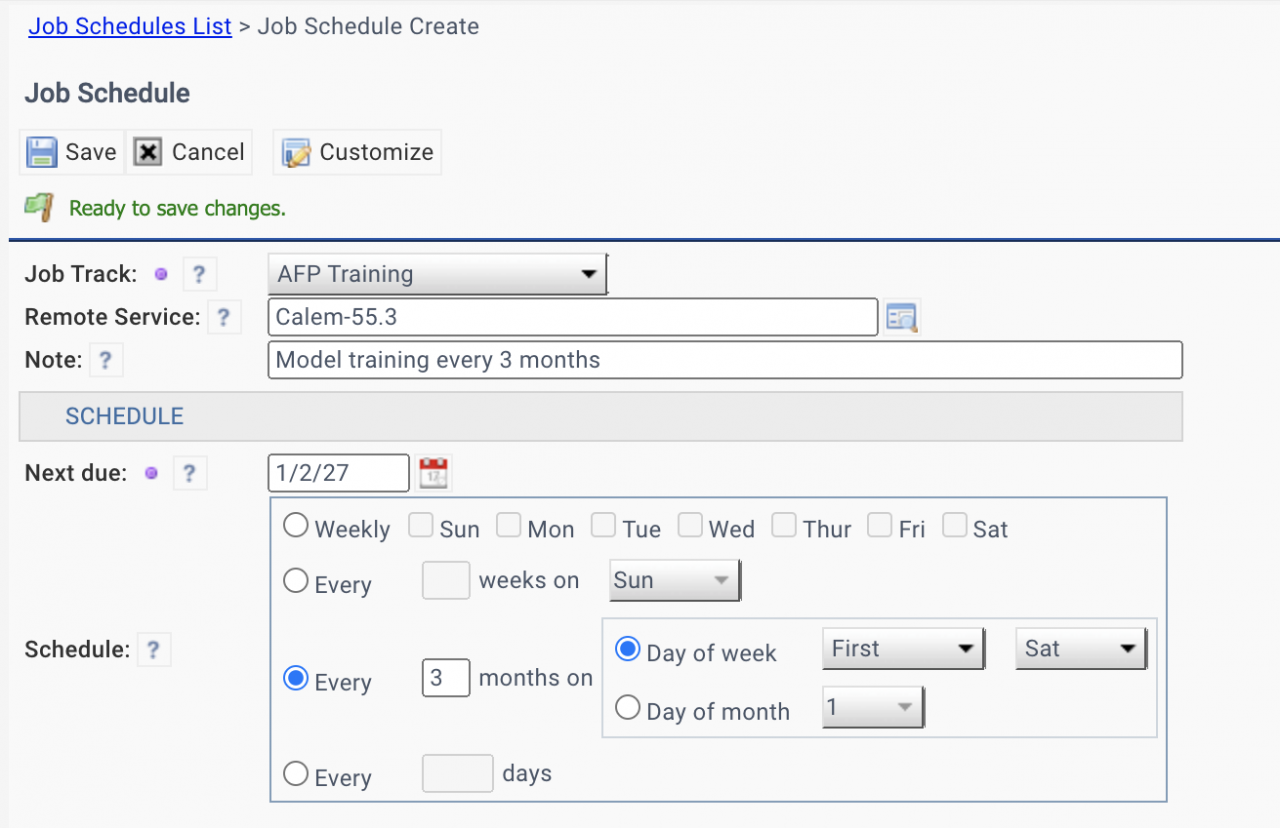
- Set up a scheduled job for training. For instance, a model training is performed every 3 months for a Calem service.
- Menu: Integration | Deployment Tool | Job Schedules. Job track is AFP Training.
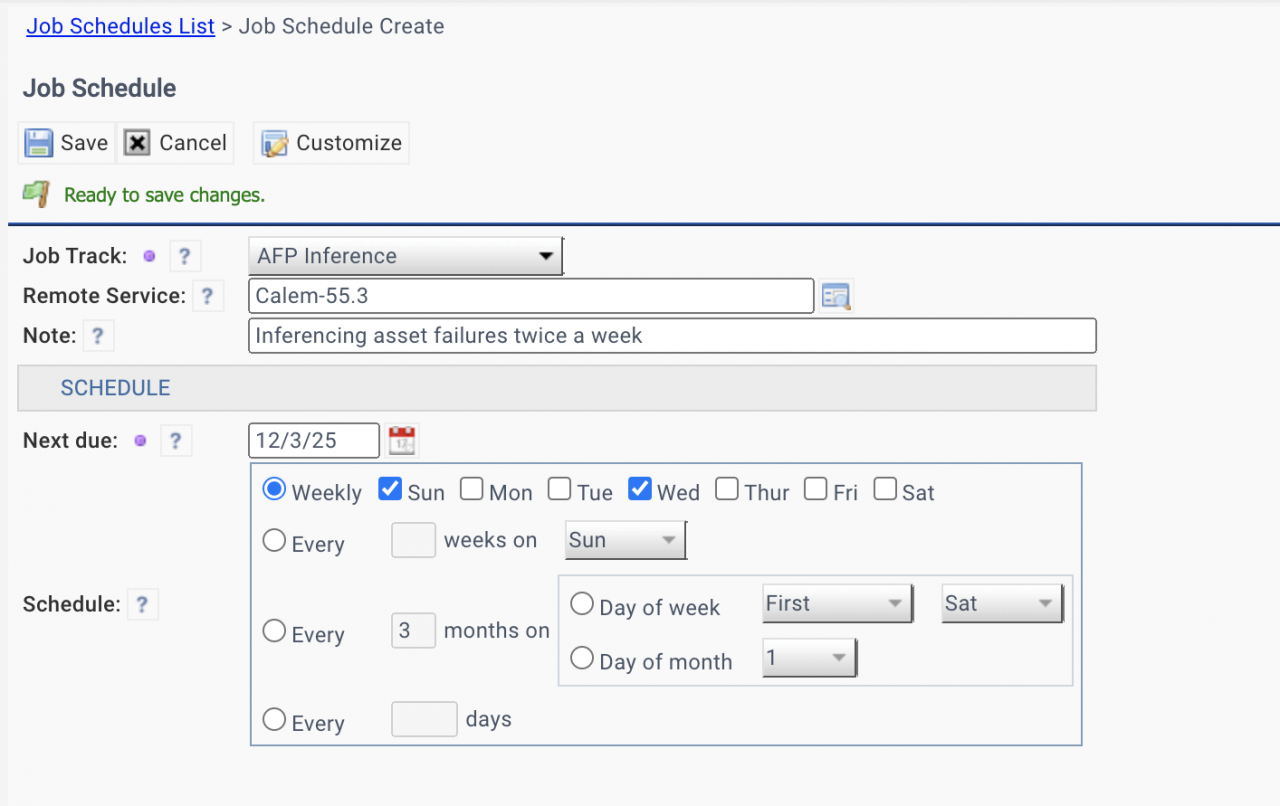
- Set up a scheduled job for inference. For instance, asset failure prediction will be performed on Sunday and Wednesday.
- Menu: Integration | Deployment Tool | Job Schedules. Job track is AFP Inference.
- Calem AI will initiate job processes to work with a Calem service for model training and prediction delivery.
- See Admin Guide for more info about cron jobs to set up in Calem AI and Calem.
A job for model training every 3 months for Calem-55.3.
A job for inferencing asset failure prediction twice a week.
2. Calem – Asset Failure Prediction
The data source for model training and inference comes from a Calem service. Here are the steps to set up a Calem service.
- Set up a service Id at EAM company form (Organization | EAM Company). This is the Id of the Calem service.
- Set up a remote service for the Calem AI.
- Menu: Integration | Deployment Tool | Remote Services
- The service Id for the Calem AI needs to be filled out.
- Have the "Failure Prediction" checkbox checked at EAM company form (see the screenshot of EAM company above).
- The "Failure Prediction" checkbox authorizes the Calem service to work with Calem AI for asset failure prediction.
- If the checkbox is not checked, asset failure prediction will not work for this Calem service.
3. AFP Process Monitoring
An AFP process is initiated from Calem AI. The process enables Calem AI and Calem to work together to train a model, perform an inference and apply failure prediction to Calem. Workflow notifications are added to monitor the process execution. Here're the steps to set up monitoring:
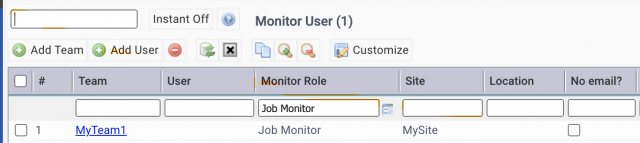
- Set up teams or users to monitor scheduled jobs.
- Menu: Organization | ACL profiles | Monitor User
- Add teams or users as "Job Monitor" roles.
- These users will receive email notifications about process failures, alerts and successes
Additional Resources
- Calem AI - Part 1: Predicting When Assets Will Fail
- How to Setup Failure Tree for Troubleshooting
- Surfacing Step Conditions in Work Orders
- Asset Lifespan Alerts
- Asset Timeline View
- User Guide and Admin Guide (customer account required)
- Calem Enterprise Training Site
- Calem Enterprise Blogs
- Calem Enterprise demo