A new report has been added to report comments added in work orders in Calem release R20f. Previously, work order comments can be listed and searched from menu path: Work Order | Open | WO Comments and at menu path: Work Order | Report | WO Comments.
- A date range can be specified to report work orders by their request time
- A checkbox is added to include work orders without comments so one can use this list to show all work orders requested in a date range.
- Note that the original Work Order | Open | WO Comments is renamed to "WO Comments (All)" and is deprecated because it might take a long time to launch the list for large data set.
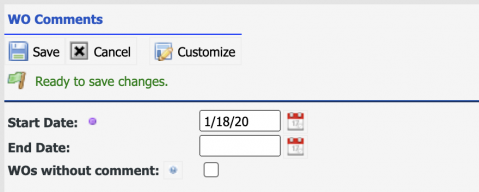
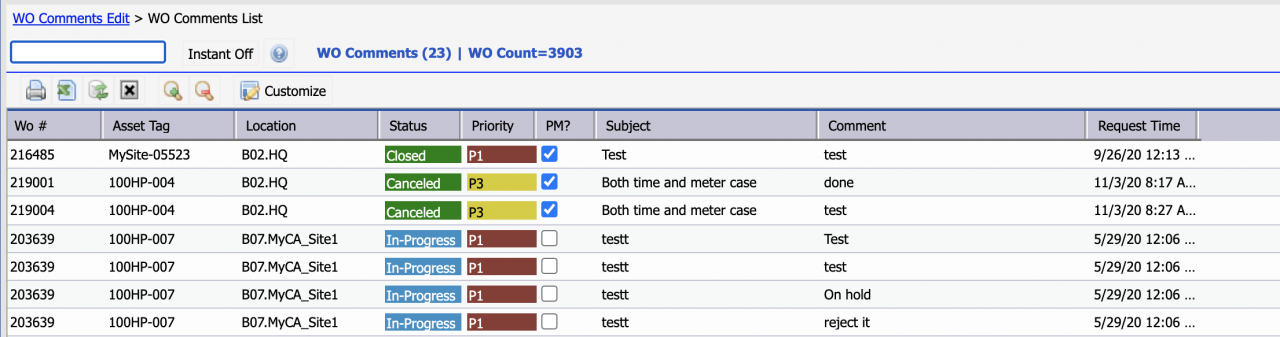
The report shows the total work order count in the date range as well as the count of comments.
Additional Resources
- How to Streamline Work Order Processes by SLA
- How to Track Outbound Emails in Calem
- Work Order Life-Cycle Diagrams
- Work Order Status Access Control
- Work Order Step Enforcement by Status
- Work Order Required Fields by Status
- Work Order Open Alert
- User Guide and Admin Guide (customer account required)
- Calem Enterprise Training Site
- Calem Enterprise Blogs
- Calem Enterprise demo