Calem Blogs
Blogs of CalemEAM
Merging Duplicate Users in Calem
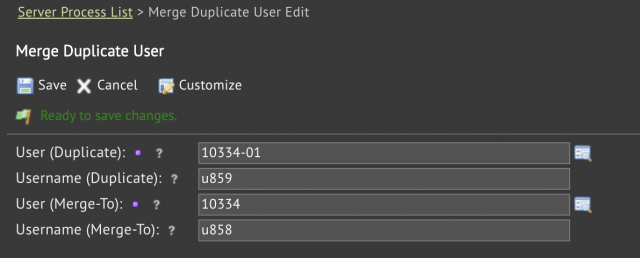
A process to merge duplicate users is available in the coming release of R2026e. It allows admin users to merge duplicate users into valid users.
- Menu: Admin | Open | Server Processes | Merge Duplicate user
- Select a duplicate user and the user to be merged into
- Click "Save" to complete the merging process.
- The status of duplicate user is set to "Inactive" and the full name is prefixed with "z".
- The merging process cannot be reversed so caution should always be exercised before proceeding.
About the author

By accepting you will be accessing a service provided by a third-party external to https://calemeam.com/