Calem Blogs
Blogs of CalemEAM
Printer Settings Tip: Work Order Print Customization
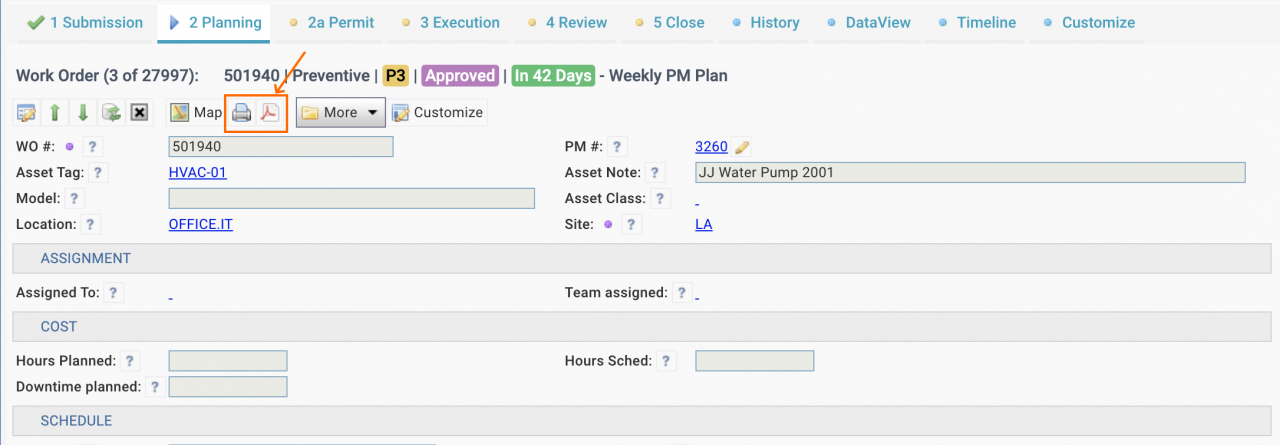
A work order print can be launched from a PDF or print button in work order forms (e.g. screenshot below). A print preview screen is displayed when printing from a Chrome browser (next screenshot).
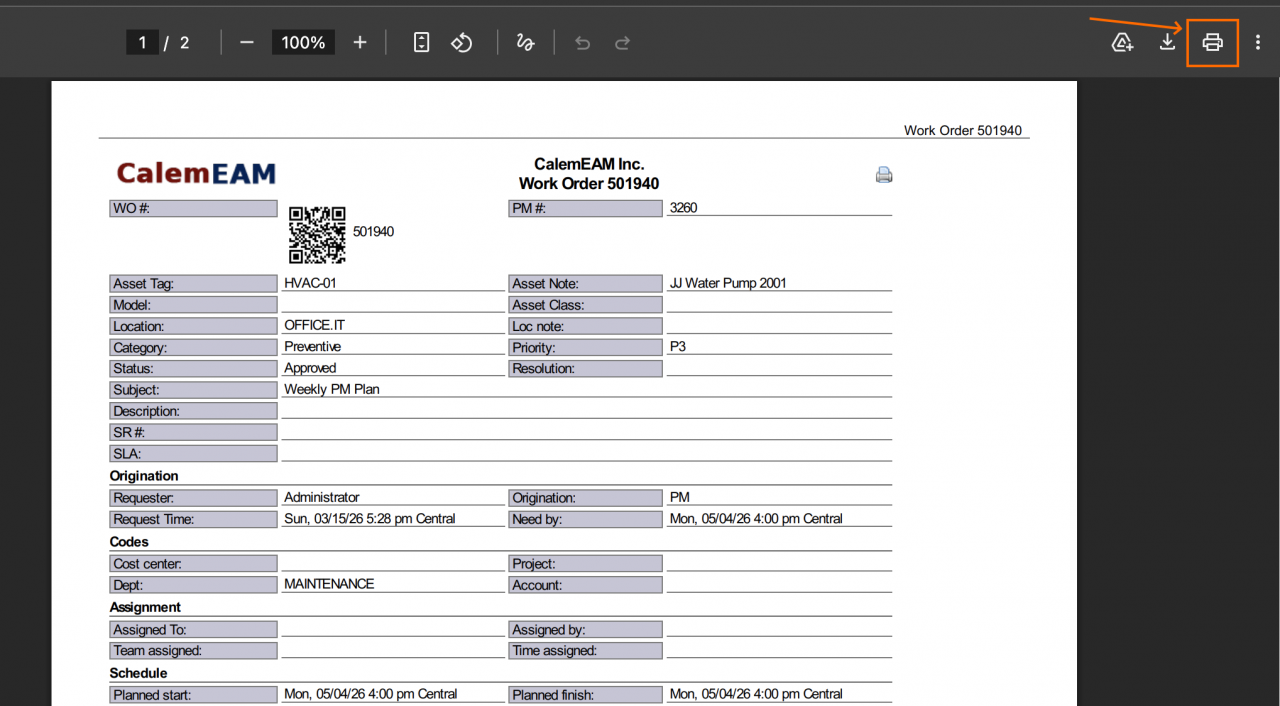
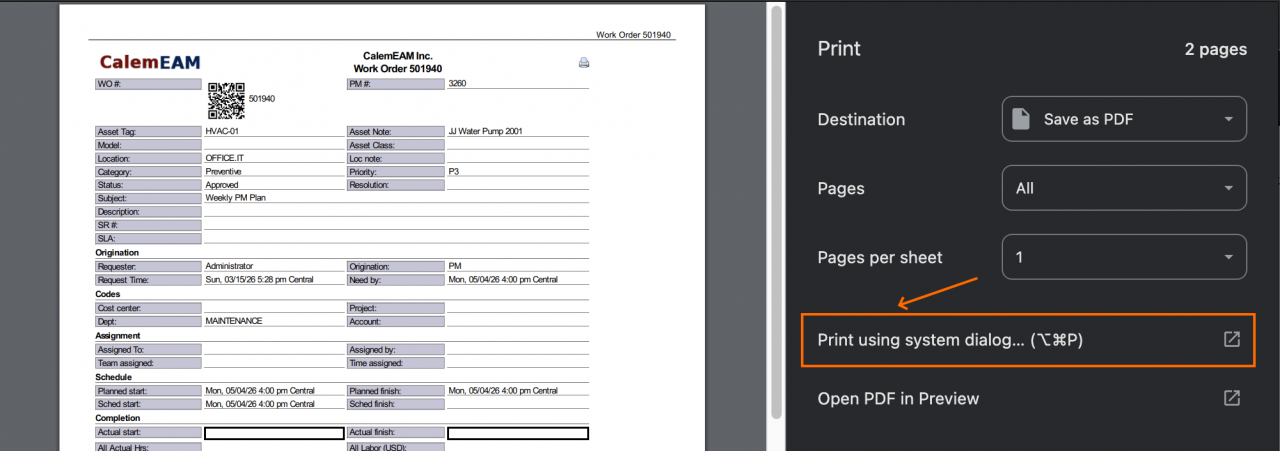
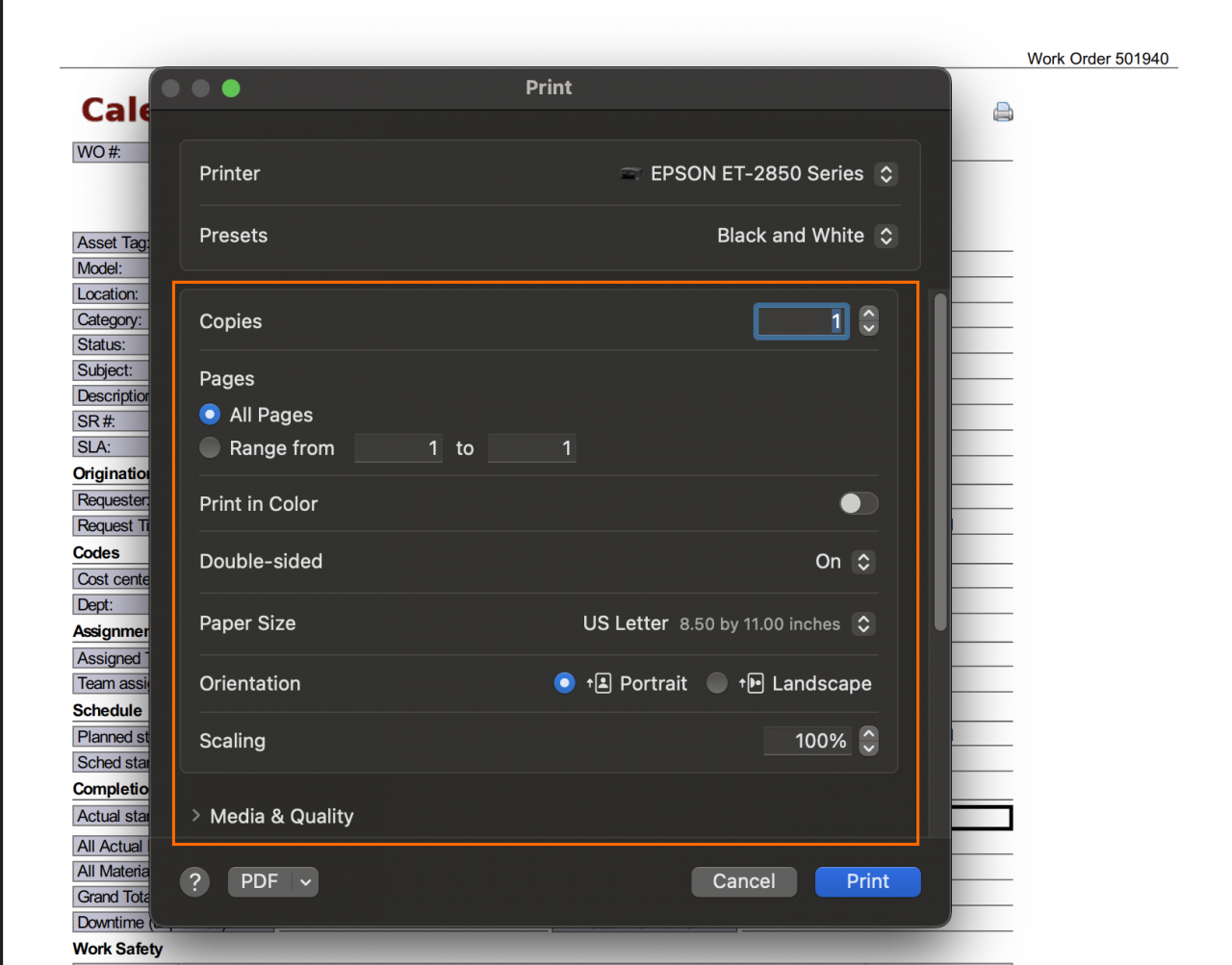
At the top right of the print preview page (screenshot above), there is a printer icon. Click the printer icon - a print setting page is shown (screenshot below). Click "Print using system dialog..." to bring up printer settings page (next screenshot). You may adjust printer settings including double-sided, page size, etc.
About the author

By accepting you will be accessing a service provided by a third-party external to https://calemeam.com/