Calem Blogs
How to Use Asset Health in Calem
Asset health is available in the coming release of Calem R2025h (December 2025). It is calculated daily for each asset as a dropdown of three levels: Good (low risk to fail), Moderate (moderate risk to fail), and Critical (high risk to fail). It is presented in asset list and record view (screenshots below) as green, yellow and red smiling faces.
Asset health is calculated based on asset failure (repair work orders), PMs with flagged conditions, reading alerts, reading ranges (or analysis), and Asset Failure Prediction (AFP) by AI.
- If AFP is enabled, asset health may be calculated based on the probabilities of failure within 30 days from the AFP process. See Calem User Guide for more info about probability rules.
- Otherwise, asset health is calculated based on asset events below.
- Asset failure history. Asset failures are reported as repair work orders. The frequency of failure in the past is a factor of asset health.
- Maintenance reports. Preventive maintenance (PM) is performed on assets. Discoveries in PMs such as poor conditions are reported.
- Asset alerts. Assets may be monitored by Calem and/or 3rd party apps which may raise alerts in Calem.
- Sensor readings. Sensor readings may be fed directly into Calem for analysis. Readings out of bounds may be used in calculating asset health.
- See Calem Admin Guide for more info (client accounts required).
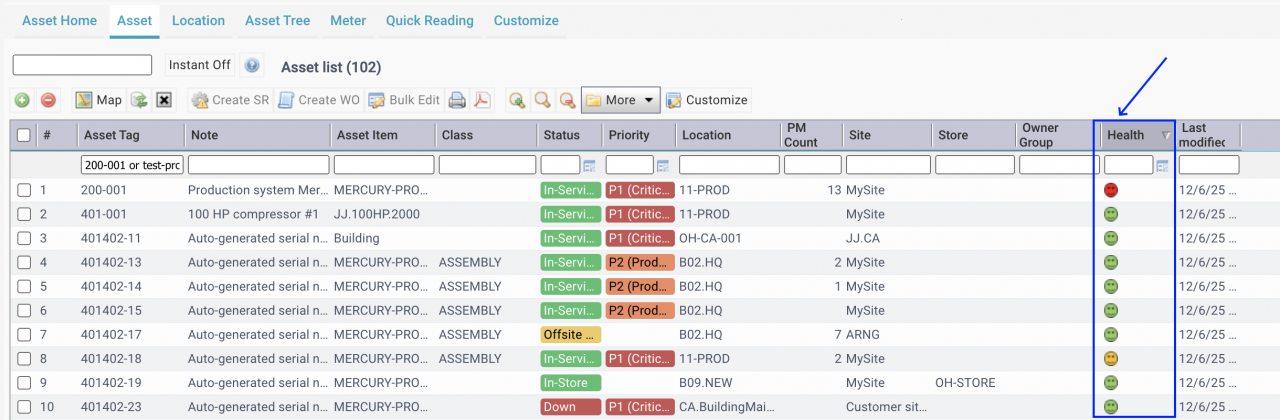
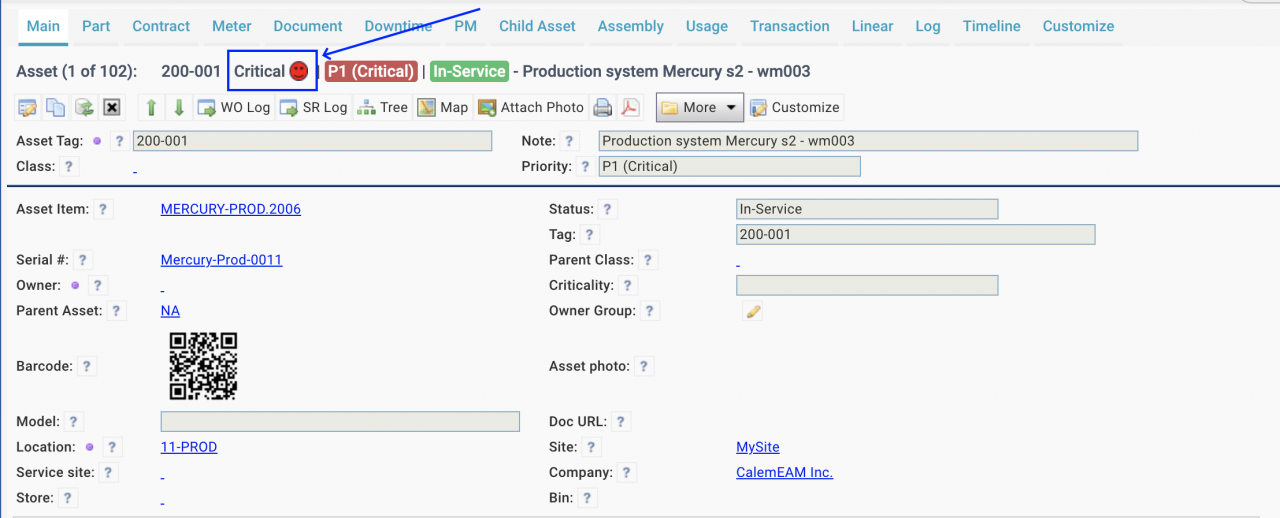
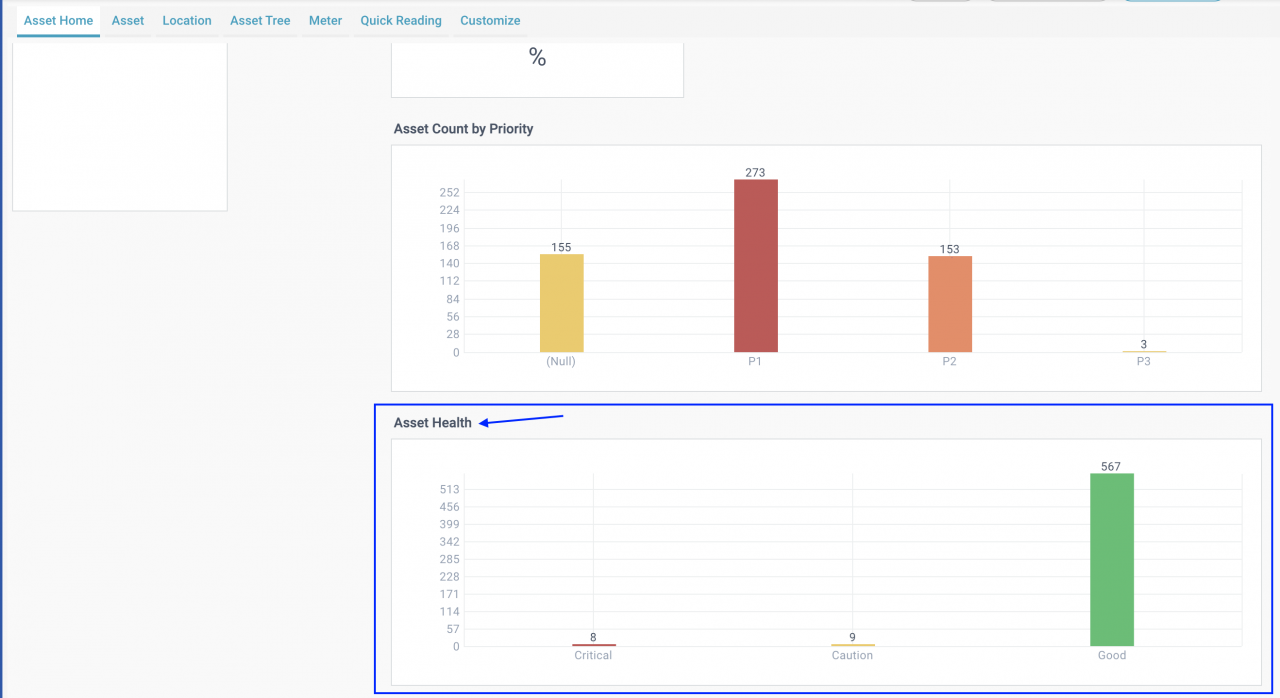
- Asset Home shows a bar chart of the current asset health in your Calem.
1. How to Use Asset Health
Asset health may be used by maintenance planners for better operational efficiency. For instance,
- If an asset is of good health planners may defer PMs scheduled for the asset.
- On the other hand, assets of critical or moderate health may deserve preemptive inspections or PMs performed sooner than scheduled.
Additional Resources
About the author

Related Posts
By accepting you will be accessing a service provided by a third-party external to https://calemeam.com/